
Independent review. We are not the official Nitroflare website.
Updated July 2026
Nitroflare Premium Review: Real Tests, Benefits and Limits
We tested Nitroflare Premium in Chrome and JDownloader 2. This review explains the speeds we recorded, how the free download process differs, and who should consider paying for an account.
Quick verdict
Nitroflare Premium is useful when you regularly download large files or multi-part archives. It removed the free countdown from our workflow and worked well with several downloads running at once.
It is harder to justify for one small file. Free access is slower, but it still costs nothing.
What we liked
- 12.4 MB/s in our Chrome single-file test
- Good performance with several files
- Premium account recognized by JDownloader 2
- Remaining traffic shown inside JDownloader
- No free countdown before Premium downloads
What to consider
- Premium traffic is still limited
- Results vary by server and location
- A paid plan is wasteful for very light use
- Account and billing problems need official support
Check Current Nitroflare Plans
How we tested Nitroflare Premium
We used a paid Nitroflare account on a stable home connection. We tested one file in Chrome, four files in Chrome, and four active files in JDownloader 2.
The files were large enough for the speed to settle before we took each screenshot. This is important because a very small file may finish before the browser reaches a stable rate.
These are historical results from our own setup. They show what Nitroflare delivered during the test. They do not guarantee the same result on every connection.
12.4 MB/s
One Chrome file
37.7 MB/s
Four Chrome files
45.2 MiB/s
Four JDownloader tasks
Chrome single-file speed test
Our first Premium test used one 1.1 GB RAR file in Chrome. The browser showed 12.4 MB/s. At that point, 397 MB had downloaded and about one minute remained.
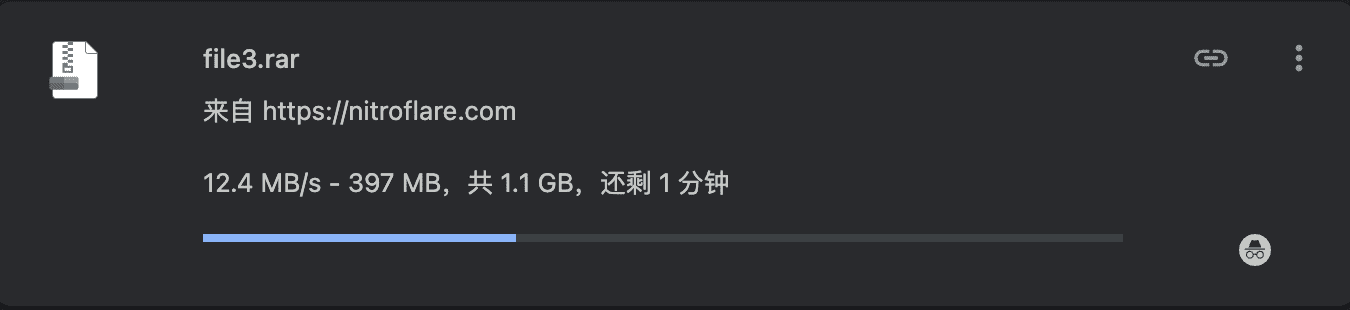
A single browser download is the simplest test. It shows what one connection can do without using a download manager or several files.
The result was fast enough to download a 1 GB file in a few minutes. However, the exact time depends on whether the speed remains stable until the end.
Chrome multi-file speed test
We then opened four Nitroflare Premium files at the same time. The visible speeds were 7.3 MB/s, 8.2 MB/s, 11.9 MB/s, and 10.3 MB/s.
Together, the four downloads reached about 37.7 MB/s. This was much faster than the single-file result and showed that several active files could use more of the available connection.
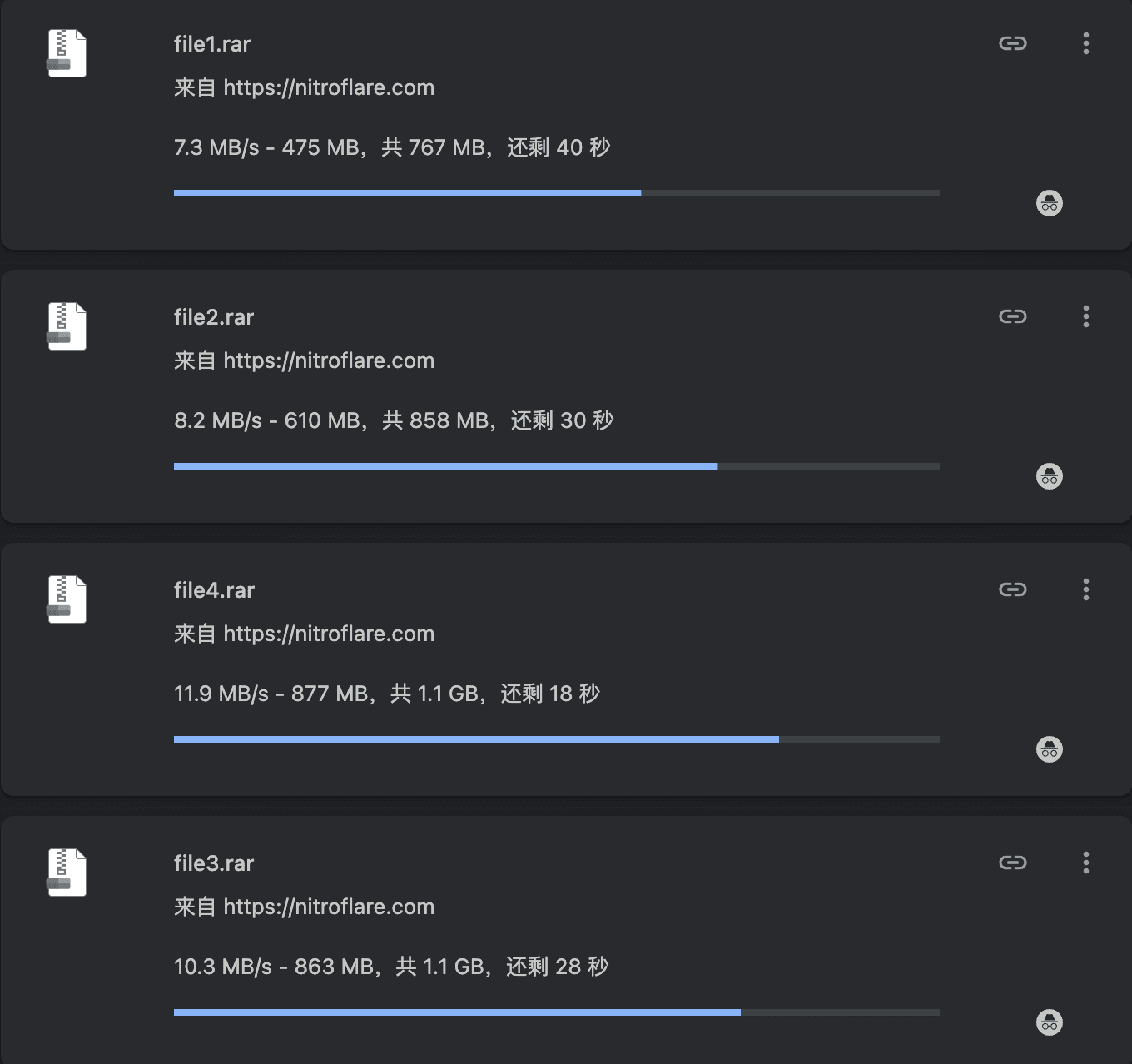
This method is useful when one connection does not use your full bandwidth. It also suits multi-part RAR archives because each part can run as a separate task.
Running more files is not always better. Too many tasks can create unstable speeds or use traffic faster than expected. Four was enough for our test.
JDownloader 2 speed test
JDownloader 2 produced the strongest combined result. The four visible tasks ran at 14.69 MiB/s, 6.33 MiB/s, 15.89 MiB/s, and 8.33 MiB/s.
The combined speed was about 45.2 MiB/s. That result used most of the bandwidth available on the test connection.

JDownloader is more practical than Chrome for a large queue. It stores the links, tracks progress, and keeps the downloads together in one window.
It also lets you adjust how many files run at the same time. Start with two to four tasks. Increase the number only when the connection still has unused capacity.
Premium account recognition in JDownloader
JDownloader recognized our login as a Premium Account. It also showed the remaining traffic balance. At the time of the screenshot, the account had 23.283 GiB left.
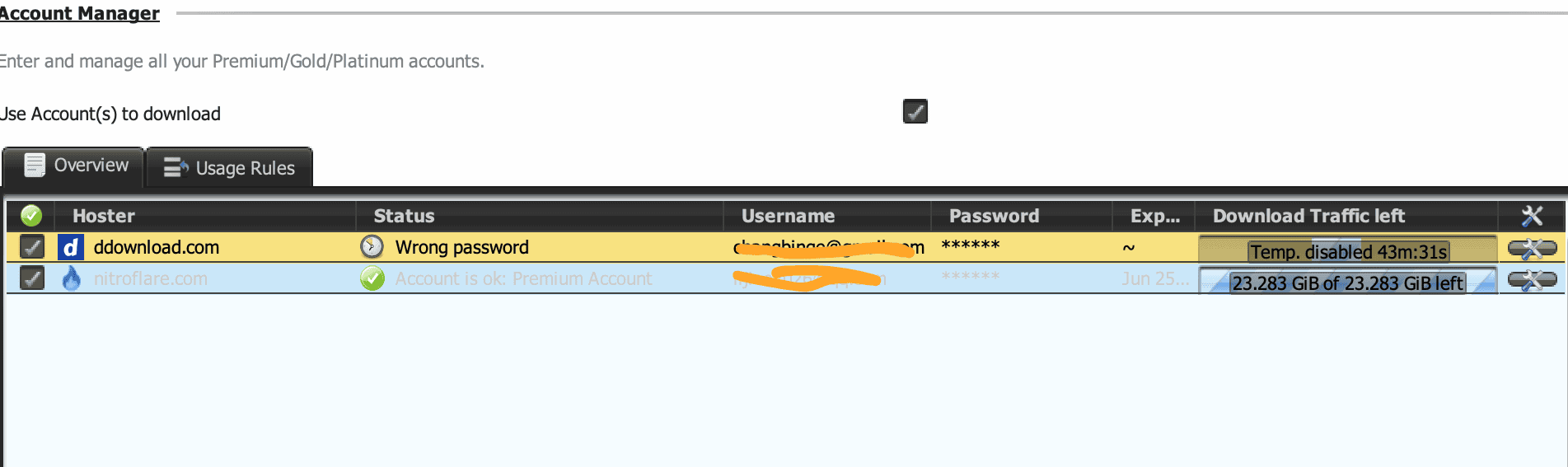
Screenshot note
The upper DDownload row is unrelated to this Nitroflare test. For the final page design, crop the image so only the Nitroflare row remains visible.
What the free download experience looks like
The free download page adds a countdown before the file can start. Our screenshot showed 1 minute and 51 seconds remaining.
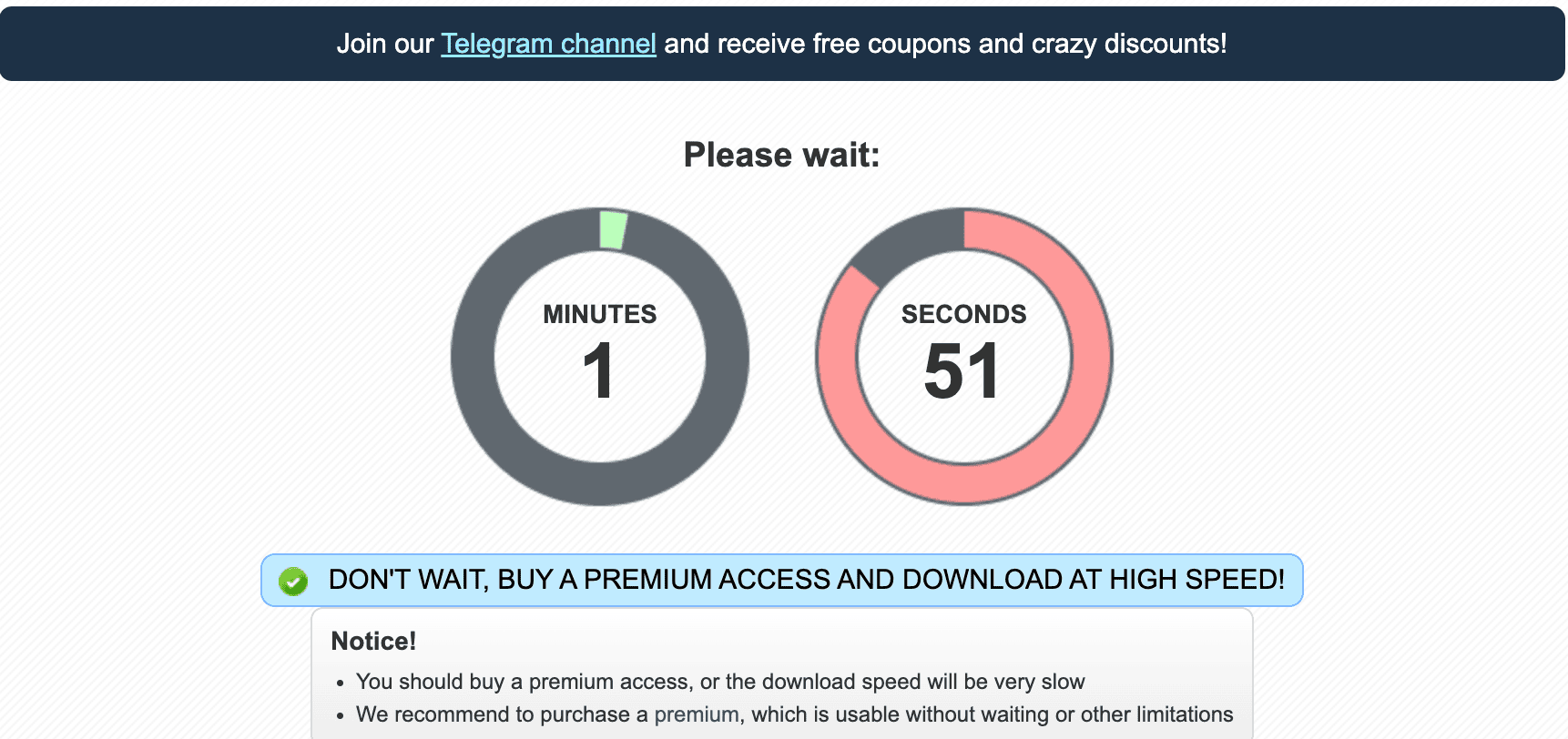
That delay is manageable for one file. It is much less practical for a large archive. Every extra part adds another interruption to the process.
The free page is therefore best viewed as an occasional download option. It is not designed for an unattended queue of many files.
What Premium improves in daily use
Fewer manual steps
Premium reduces the need to return to the browser for each link. This matters when you want to start a queue and leave the computer working.
Better use of fast connections
Our single Chrome file reached 12.4 MB/s. Several files used much more bandwidth. Users with fast internet are more likely to notice this difference.
Easier multi-part downloads
Large uploads are often divided into several RAR parts. A download manager can collect these links and process them in order.
Clear traffic information
JDownloader displayed the remaining Premium traffic during our test. This makes it easier to see whether the account has enough traffic for the next group of files.
Important Premium limitations
Premium access is faster, but it is not unlimited in every sense. A traffic allowance still applies. Large multi-file downloads can use that allowance quickly.
Treat the login as a personal account. Avoid sharing it with several people or using it from many locations at the same time. Unusual login activity can cause account checks or temporary access problems.
A Premium account also does not fix every slow file. A specific server may be busy, your local connection may be unstable, or a VPN route may perform poorly.
Who should buy Nitroflare Premium?
Premium is a reasonable choice when you already have several Nitroflare links and know you will use the account. It is especially useful for large files, multi-part archives, and repeated downloads.
It also suits users who prefer JDownloader. The account worked correctly in our test and allowed several tasks to run together.
Who should stay with free access?
Stay with free access when you only need one small file. Waiting is annoying, but buying an account for a single light download may cost more than the time it saves.
Test the free link first. Upgrade only when the waiting process, speed, or number of files makes free access impractical.
Final verdict
Nitroflare Premium performed well in our tests. Chrome reached 12.4 MB/s with one file. Four browser downloads reached about 37.7 MB/s, while four JDownloader tasks reached about 45.2 MiB/s.
Those results make Premium useful for serious downloading. They do not make it necessary for everyone. Light users should save their money and use the free option.
Review the current plans before buying
Check the latest price, account period, and traffic terms. Do not rely on an old price table.