
Independent comparison. Account features can change, so check current terms before paying.
Nitroflare Free vs Premium: What Changes After Upgrading?
Nitroflare lets you download without paying, but the free process includes a waiting page. Premium is designed for faster downloads, larger queues, and use with JDownloader 2. This page compares both options using our own screenshots.
| Feature | Free access | Premium account |
|---|---|---|
| Download start | Countdown page first | Starts more directly |
| Speed in our test | Not suitable for a large queue | 12.4 MB/s with one Chrome file |
| Several files | Manual and time-consuming | Multiple files can run together |
| JDownloader 2 | Limited free workflow | Premium account recognized in our test |
| Download queue | Requires more browser interaction | Better for unattended queues |
| Remaining traffic | Not applicable | Displayed in JDownloader |
| Best for | One occasional file | Large files and regular use |
Check Current Nitroflare Options
Free downloads include a waiting page
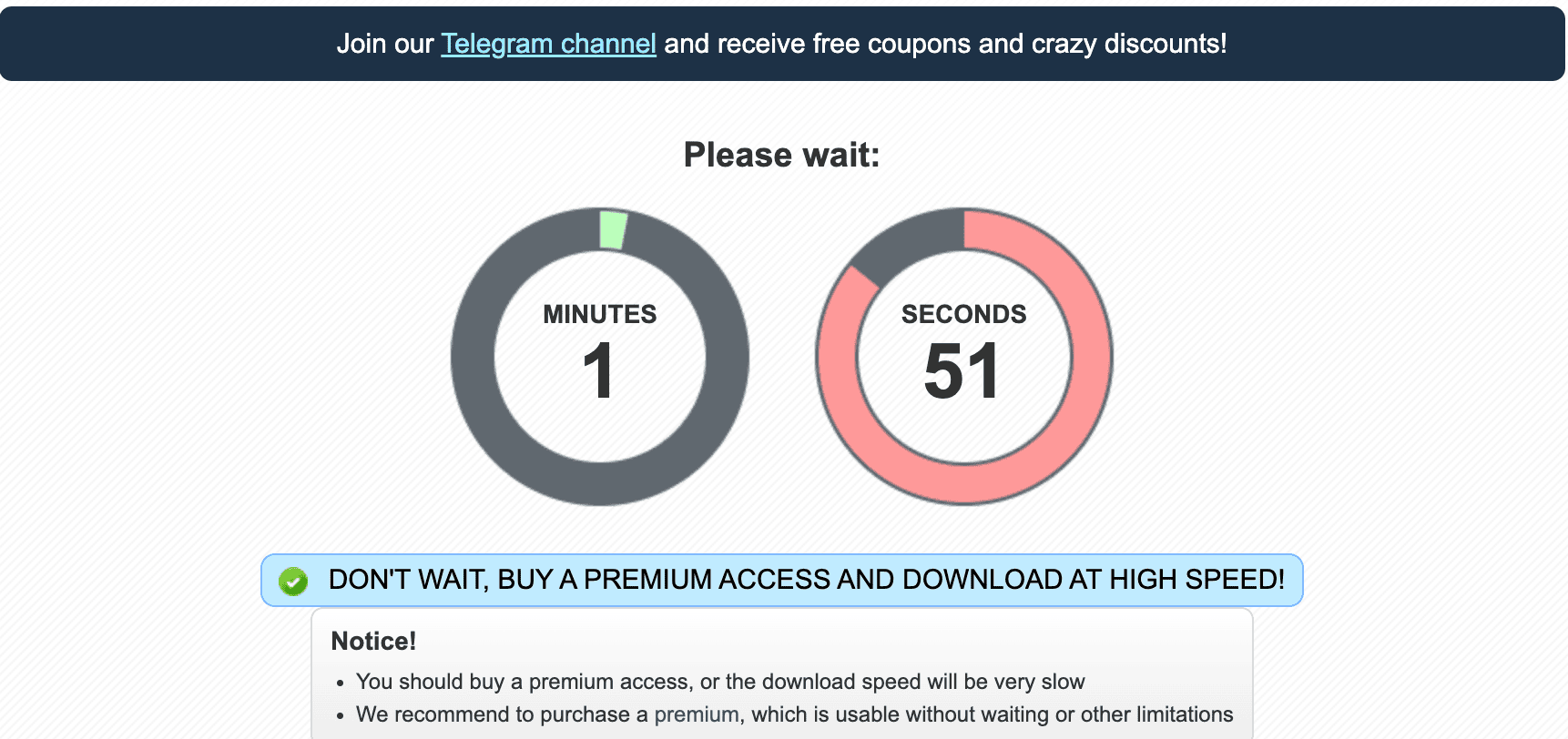
When we opened a Nitroflare link without Premium, the site displayed a countdown. The screenshot was taken with 1 minute and 51 seconds remaining.
A countdown does not make the free service unusable. It simply changes the type of user it suits.
Someone downloading one file can wait and continue. Someone downloading twenty archive parts must repeat the process many times. The same small delay then becomes a much larger problem.
Premium starts without the same free workflow
With Premium active, our files started through Chrome and JDownloader without returning to the free countdown page. This removed several manual steps.
The difference is easy to overlook when comparing only one file. It becomes much more valuable when downloads run overnight or when you need to leave the computer unattended.
Free and Premium speed
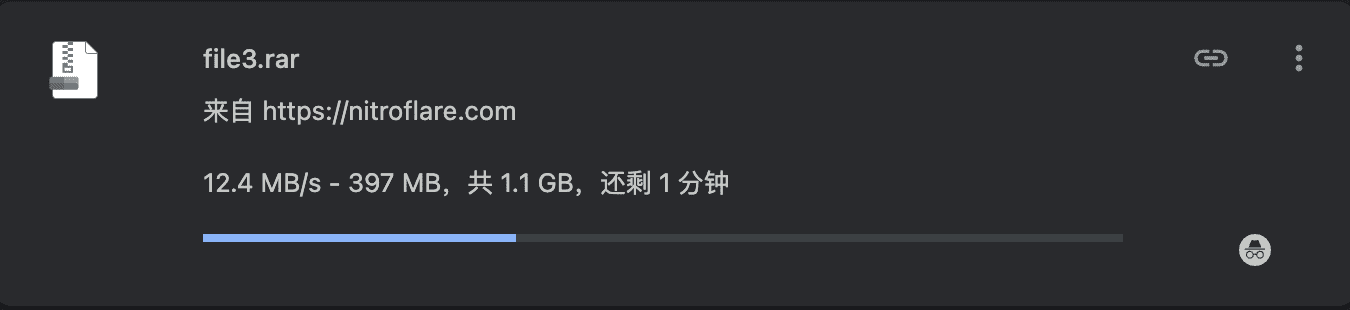
Download speed is one of the main reasons people upgrade. In our Chrome Premium test, one 1.1 GB file reached 12.4 MB/s.
This does not mean that every Premium user will receive 12.4 MB/s. Speed depends on your location, internet provider, file server, and local connection.
The screenshot is useful because it shows that the paid account was able to use a fast home connection. It is evidence from one test, not a universal promise.
Single-file and multi-file performance
One active file did not use all of our available bandwidth. Running four Chrome files increased the combined result to about 37.7 MB/s.
JDownloader performed even better. Four tasks reached about 45.2 MiB/s combined.
This makes Premium more useful for split archives. You can run several parts together instead of waiting for one file to finish before starting the next.
Do not start too many tasks
More connections are not always faster. Start with two to four files. Add more only when speeds remain stable and your traffic balance is sufficient.
Using JDownloader with each account type
JDownloader can collect Nitroflare links, but the full benefit appears when a Premium login is active. Our account was recognized correctly and the application displayed its remaining traffic.
Without Premium, the free restrictions still apply. JDownloader cannot turn a free account into a paid one or remove server-side limits.
With Premium, JDownloader becomes useful for long queues. You can keep links in one place, watch progress, and control how many files run together.
See our Nitroflare JDownloader setup guide for the full process.
Download resume and failed files
Large downloads sometimes stop because of a local network problem, computer restart, or temporary connection loss.
A Premium account used with a download manager gives you a better chance to continue a supported task. This can save a great deal of time on multi-gigabyte files.
Resume support still depends on the active link and software session. Keep JDownloader updated and avoid changing networks in the middle of a large queue.
Premium traffic limits
Premium is not the same as unlimited daily use. The account has a traffic balance. In our JDownloader screenshot, 23.283 GiB remained at the time of the test.
Multi-file downloads can use traffic quickly. Check the size of the full archive before starting. A folder with ten 5 GB files needs far more traffic than one 5 GB download.
Current allowances may differ by plan or change over time. Check the live account terms instead of relying on an old comparison table.
When free access is the better choice
Choose free access when you only need one file and time is not important. It is also the sensible choice when you are unsure whether the link is still active.
Try the free download first. There is no need to pay before you know that the file is available and useful.
When Premium is the better choice
Premium is better when you have many links, large files, or limited time. It also suits people who want JDownloader to manage the work.
The more files you have, the more valuable the saved waiting time becomes. Premium is therefore easier to justify for a complete archive than for one isolated download.
Stay with free access when:
- You only need one small file
- You do not mind waiting
- You rarely use Nitroflare
- You want to test a link first
Consider Premium when:
- You have several large files
- You need a multi-part archive
- You want to use JDownloader
- You need the queue to run unattended
Our conclusion
Nitroflare Free is useful for occasional access. The waiting page is inconvenient, but it avoids paying for a service you may only use once.
Nitroflare Premium is built for heavier use. It delivered strong Chrome and JDownloader results in our tests and made multi-file downloads much easier.
Choose based on the number and size of your links. Do not upgrade only because the free page is annoying. Upgrade when the amount of time saved is worth the cost.
Compare the current account options
Check the latest price, duration, and traffic terms before completing a payment.