
Independent guide. This website is not owned or operated by Nitroflare.
Nitroflare Premium Guide: Speed, Limits and Download Setup
Nitroflare is widely used for sharing large files. The free download option works, but it adds a waiting page and can take a long time. This guide explains what changes with Premium, how fast it performed in our tests, and how to use it with JDownloader 2.
12.4 MB/s
Chrome single-file test
37.7 MB/s
Four Chrome downloads combined
45.2 MiB/s
Four JDownloader tasks combined
What is Nitroflare?
Nitroflare is a file-hosting service. People use it to upload files and share download links with other users. You do not need a paid account to open a Nitroflare link, but the free download process has clear limits.
The main difference is convenience. Free users must pass through a waiting page before a file starts. Premium users can begin downloads more directly and use download managers for larger queues.
That difference matters most when a download contains several archive parts. Waiting for each file is manageable once or twice. It becomes frustrating when a folder has ten, twenty, or more links.
Quick recommendation
Stay with the free option when you only need one small file. Premium makes more sense when you download large files, multi-part archives, or several links at the same time.
Our Nitroflare free download test
We opened a Nitroflare link without using a Premium account. The site showed a countdown page before the download could continue. The screenshot below was taken with 1 minute and 51 seconds left on the timer.
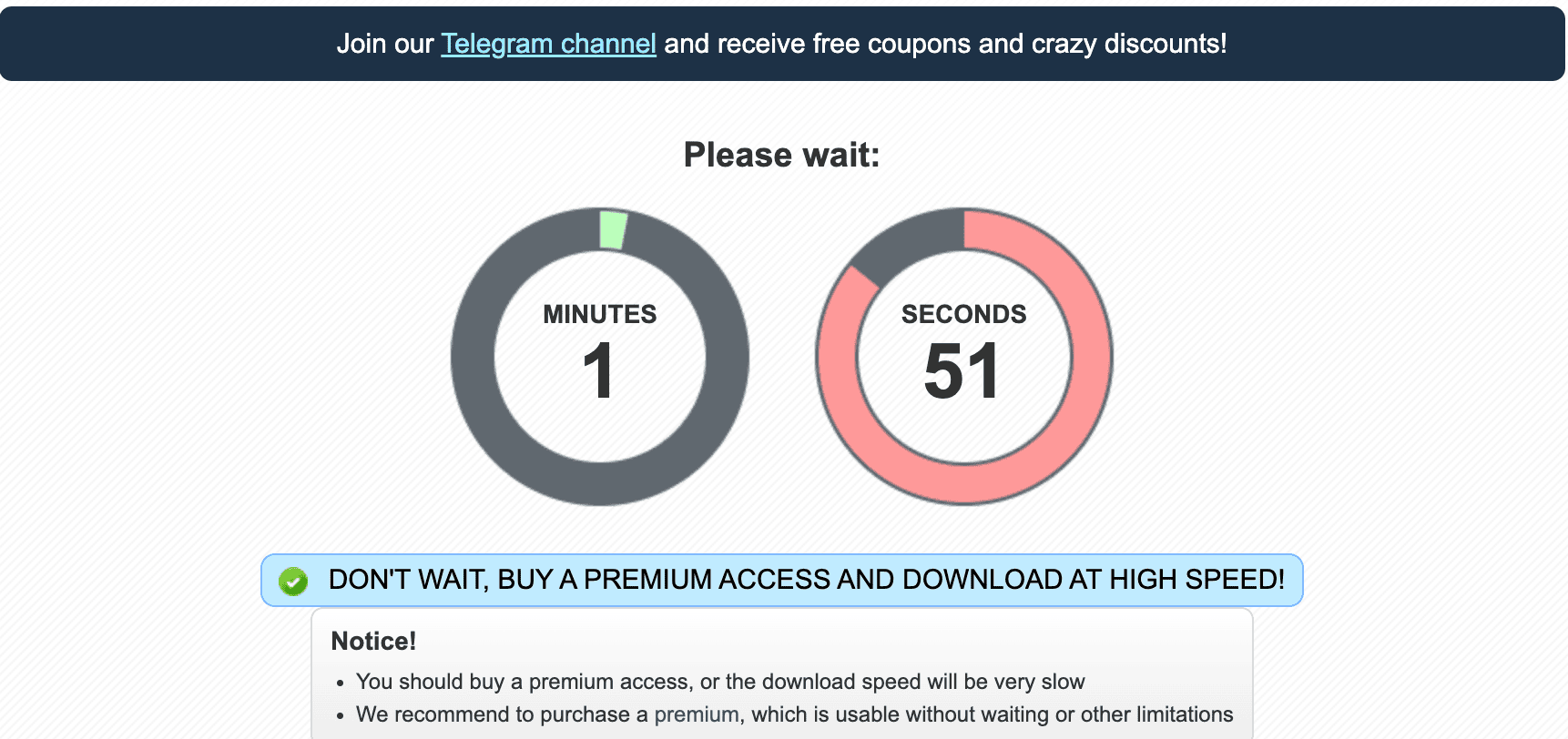
The timer is not a serious problem for one occasional file. It becomes a major delay when you need several archive parts. You may also have to return to the browser for each new link instead of leaving the queue unattended.
Our Nitroflare Premium Chrome test
We also tested a paid Nitroflare account in Chrome. One 1.1 GB RAR file reached 12.4 MB/s during the test. At the time of the screenshot, 397 MB had downloaded and the browser estimated about one minute remaining.
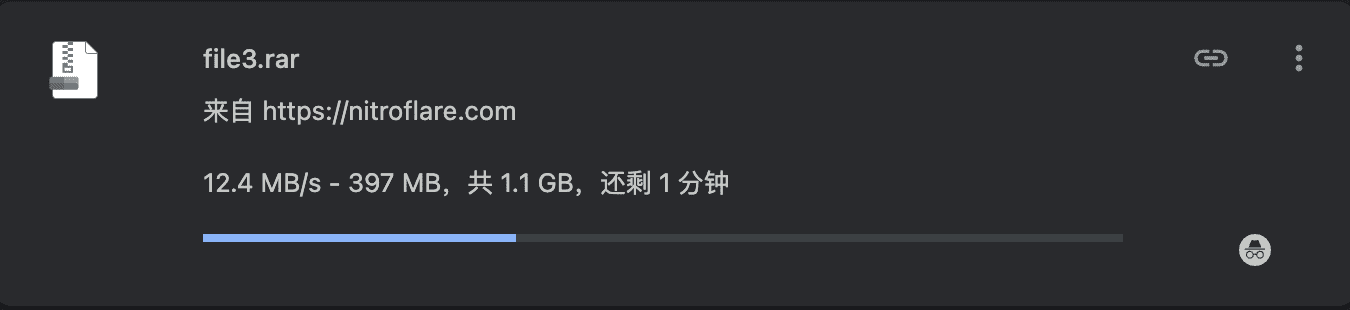
This is a real result from our connection, not a promised speed for every user. Your result can be lower or higher. Distance from the file server, local internet quality, browser performance, and the selected file can all affect speed.
The useful point is not that every user will receive exactly 12.4 MB/s. The useful point is that Premium removed the free waiting page and allowed the download to use a large part of our available connection.
What Nitroflare Premium changes
Downloads start faster
Premium links do not require the same free countdown process. This saves a few minutes on one file and much more time on a large queue.
Large files are easier to manage
You can add links to a download manager and let the application handle the queue. This is much easier than opening every link by hand.
Several files can run together
Our tests included four active Chrome downloads and four active JDownloader tasks. Both methods used far more bandwidth than one free download.
Interrupted tasks are less painful
A download manager can pause and continue supported Premium downloads. This is useful when the connection drops or the computer restarts.
Chrome or JDownloader 2?
Chrome is fine for one or two files. It needs almost no setup. Click the link, start the download, and let the browser finish.
JDownloader 2 is better for a large set of links. It can store the queue, show the remaining traffic, and start several downloads without keeping many browser tabs open.
During our test, JDownloader recognized the account as Premium and displayed the remaining download traffic. Four active files reached about 45.2 MiB/s combined. Read the full Nitroflare JDownloader guide for setup and troubleshooting.
Who should use the free option?
The free option is enough for light use. Keep using it when you only need one small file, do not mind waiting, and are not in a hurry.
There is no reason to pay for a full account when the free download solves your problem. A short delay is cheaper than buying a plan you will barely use.
Who should consider Premium?
Premium is more useful for regular users. It suits people who download large archives, several files in one session, or links that need to run overnight.
It also makes sense when a failed download would waste a lot of time. Restarting a small file is annoying. Restarting a multi-gigabyte file is much worse.
Traffic limits still matter
Premium does not mean endless traffic. Our JDownloader account screen displayed a remaining traffic balance during the test. Check the current plan terms before buying, especially when you expect to download many large files.
Quick questions
Is Nitroflare free?
Yes. You can download without a paid account, but the free page adds a countdown and the overall process is slower.
How fast was Nitroflare Premium in your test?
One Chrome download reached 12.4 MB/s. Four Chrome downloads reached about 37.7 MB/s combined. Four JDownloader tasks reached about 45.2 MiB/s combined.
Does Nitroflare work with JDownloader 2?
It worked in our test. JDownloader recognized the account as Premium and showed the remaining traffic.
Is Premium worth buying for one file?
Usually not. Use the free option first unless the file is very large or you need it quickly.
Check the current Nitroflare options
Plans, prices, and traffic terms can change. Review the current options before paying.